
Humanization
The Student’s Guide to AI Detection, Turnitin & Humanizing Your Writing (2026)
Learn how Turnitin detects AI writing through perplexity and burstiness patterns. Discover how to humanize AI text responsibly for academic work when your school permits it.
January 28, 2026
5 min read

How academic AI detectors work, how to use AI responsibly, and when humanizing AI text can help—without breaking your school's rules. For more guides like this, see our blog.
What Students Are Really Asking
If you've ever searched "how does Turnitin detect AI," "turnitin ai detector," or "bypass turnitin," you're not alone. Thousands of students look this up every month. Schools run papers through Turnitin, GPTZero, and other AI detector tools. Unedited AI writing often gets flagged—even when you used AI only to brainstorm or draft. We cover this in detail in Does Turnitin Detect AI? and in our Turnitin AI Detection Bypass Guide. This guide explains how those tools work, what's allowed, and how to make AI-assisted writing sound more like you so it passes an AI detector when your school permits it.
Important: Always follow your institution's academic integrity policy. Use AI and any AI humanizer only where your school explicitly allows. For a student-focused overview, see AI Humanizer for Students and For Students.
How Does Turnitin Detect AI?
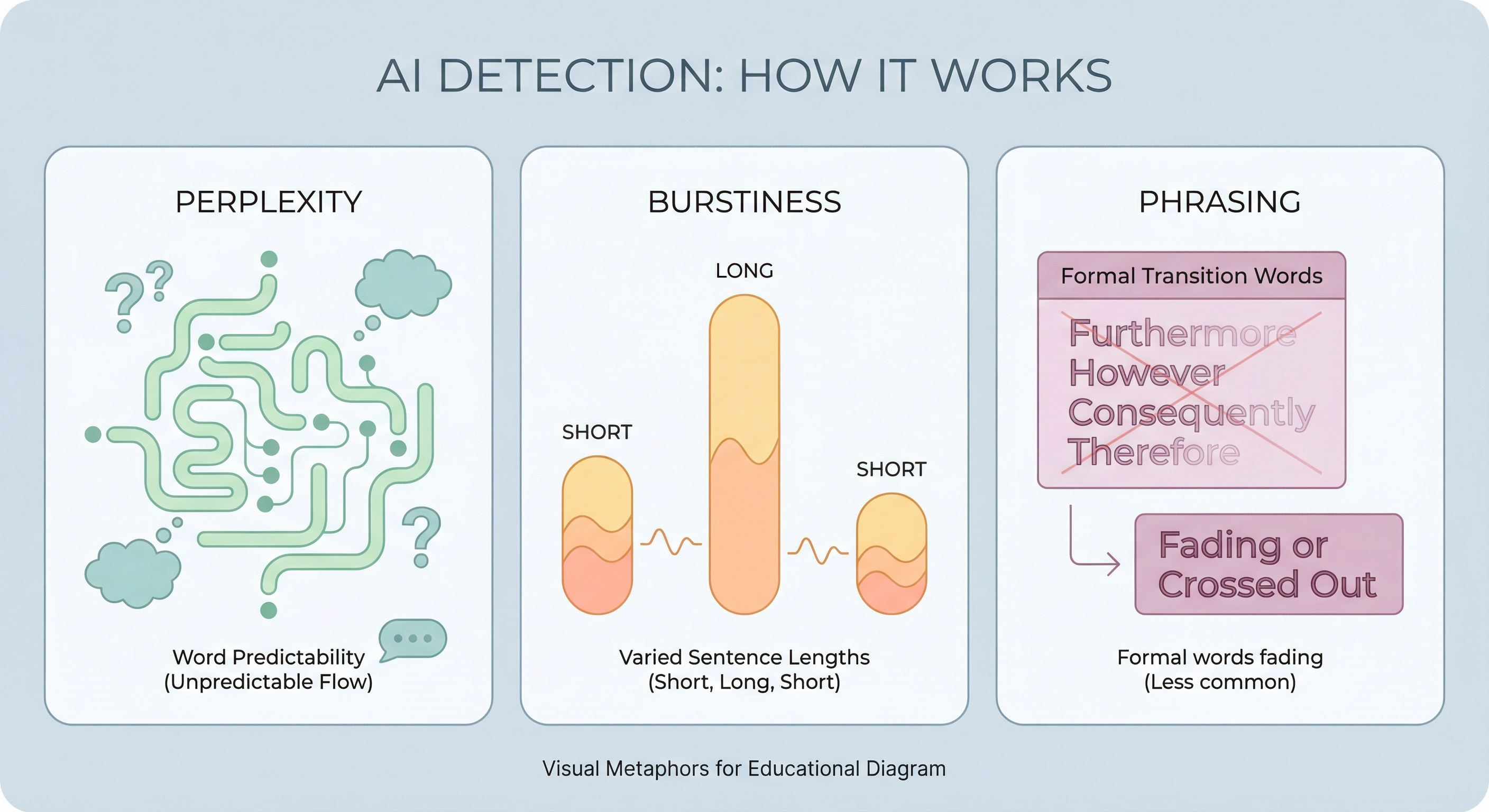
Turnitin doesn't search for a list of "AI words." It uses machine learning trained on huge amounts of human and AI text. The model looks at patterns:
- Perplexity — How predictable the next word is. AI tends to choose statistically likely words; human writing is messier and less predictable.
- Burstiness — Variation in sentence length and rhythm. AI often writes in steady, uniform sentences; humans mix short punchy lines with longer ones.
- Transitions and phrasing — Overuse of formal connectors like "Furthermore," "Moreover," and "In conclusion" is common in AI output.
For a deeper breakdown, read AI Detection Explained and our Chat GPT Detector Guide. When your text matches "AI-like" patterns, Turnitin shows a percentage of content likely AI-generated. Does Turnitin detect AI on Canvas? Yes—if your school has Turnitin's AI detection enabled in Canvas (or another LMS), submissions are analyzed the same way. We cover this in How to Use Turnitin AI Checker for Free. There's no separate "Turnitin checker for students" that works differently; it's the same engine.
Understanding how Turnitin detects AI helps you see why simply changing a few words isn't enough. You have to change the patterns detectors look for.
Turnitin AI Detector vs. Other Checkers
Turnitin AI detector is one of the most common in academia. Schools also use GPTZero, ZeroGPT, Copyleaks, and Originality.ai. Each is trained slightly differently, but they all rely on similar signals: perplexity, burstiness, and phrasing. A turnitin checker (or turnitin checker for students) is usually the same as Turnitin's plagiarism + AI report your instructor sees.
If you're allowed to use AI as a drafting tool, the goal is to hand in work that reads like you—so when your school runs it through a turnitin ai detector or another ai detector, it doesn't flag. For more on how detection works and how to bypass it, see How to Bypass AI Detection and Can AI Be Detected?. That's where knowing how detection works (and, where permitted, humanize ai tools) comes in.
Is Using AI Plagiarism? What About Humanizing?
Is the use of AI plagiarism? It depends on your school's definition. Many institutions treat "submitting AI-generated work as your own" as academic misconduct, similar to plagiarism. We cover consequences in What Happens When Students Get Caught Using AI in College. What is the difference between AI and plagiarism? Plagiarism is presenting someone else's words or ideas as yours; AI misuse is presenting a model's output as your own work when the policy forbids it. So:
- Using AI to brainstorm, outline, or draft — Often allowed if you then write in your own words and cite where required.
- Submitting raw AI text as your essay — Usually not allowed and may be treated like plagiarism.
- Using an AI humanizer to "hide" AI where the policy bans AI — That's against the rules and risky.
Does Turnitin detect self-plagiarism? Yes. Turnitin can flag when you reuse your own previous work without permission. Self-plagiarism is a separate issue from AI detection but also part of academic integrity. For citation help, see How to Cite Poetry and How to Paraphrase.
Use AI in ways your syllabus and honor code allow. This guide is about understanding detection and humanizing so you can use tools responsibly where permitted.
How to Humanize AI Text (When It's Allowed)
When your school allows AI as a drafting aid, you still want your final submission to sound human and pass an ai detector. Here's how. For step-by-step methods, see How to Humanize AI Text, How to Humanize ChatGPT Text for Academic Writing, and How to Make AI Content Undetectable.
Use AI as a starting point, not the final draft
- Use AI for research, outlines, or first drafts.
- Rewrite in your own voice, add your own examples and analysis.
- Cite sources properly; don't let AI "invent" references.
Change the patterns detectors look for
Because how Turnitin detects AI comes down to perplexity and burstiness:
- Vary sentence length — Short. Then longer sentences that develop an idea. Occasional fragments for emphasis.
- Cut formal transitions — Replace "Furthermore" and "Moreover" with simpler links or nothing.
- Add your voice — Contractions, opinions, specific details only you would include.
- Break uniformity — Humans don't write every paragraph the same length or structure.
More techniques are in our AI Humanizer Guide, AI vs Human Writing, and Making AI Writing Undetectable and Authentic.
Use an AI humanizer tool (where permitted)
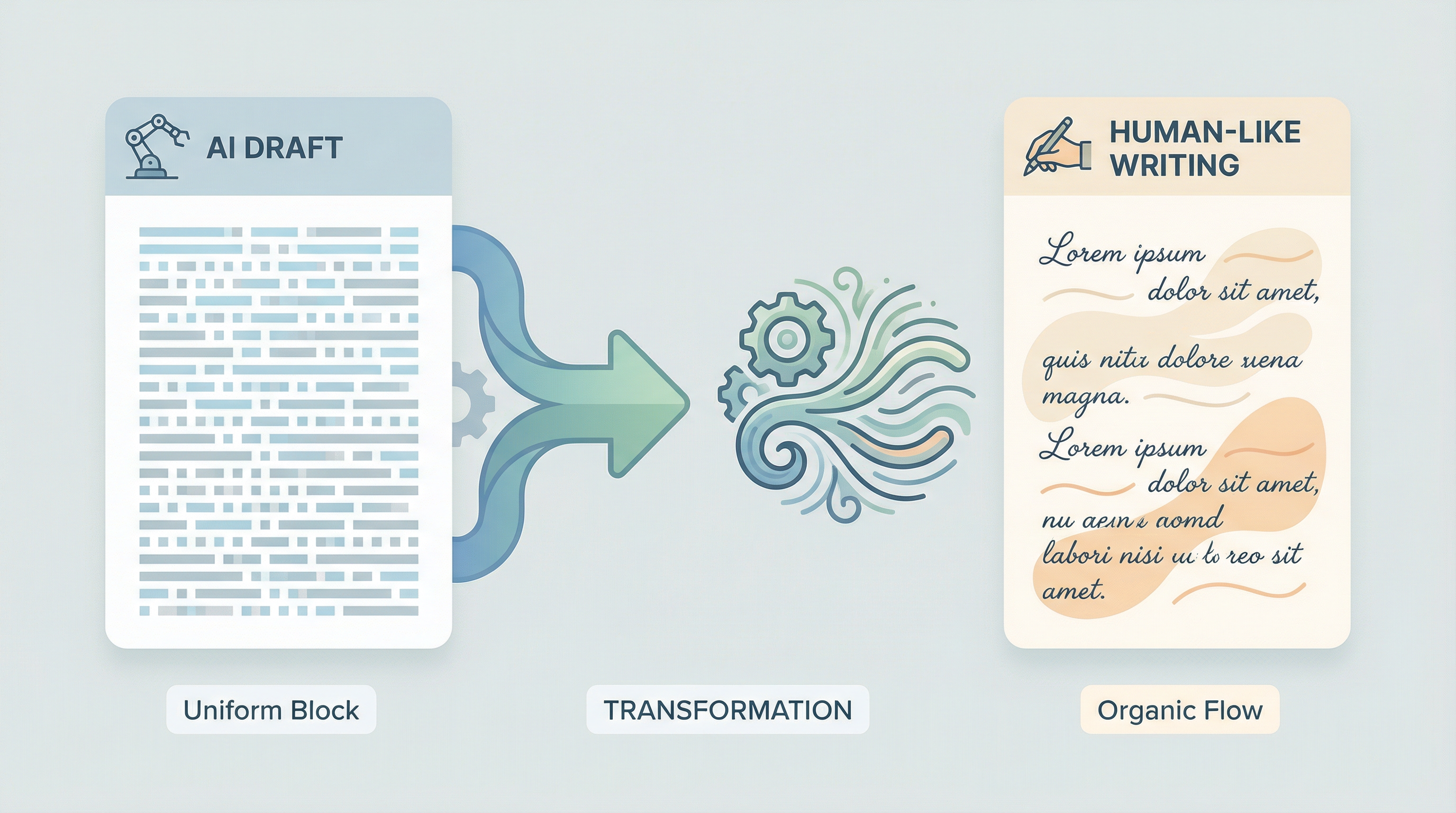
An AI humanizer rewrites AI-generated text so it has more human-like perplexity and burstiness while keeping your meaning. Best AI humanizer to bypass Turnitin isn't about "cheating"—it's about making permitted AI-assisted drafts read like your own writing so they pass a turnitin ai detector or turnitin checker when your policy allows AI use. For comparisons, see Best AI Humanizers, Best AI Humanizer Tools 2025, and Why AI Humanizers Fail.
Look for a humanizer that:
- Changes statistical patterns (perplexity, burstiness), not just synonyms
- Preserves your arguments, structure, and citations
- Lets you review and edit the output
- Offers a free trial so you can test before submitting
Humanize AI tools like RealTouch AI are built to adjust those same patterns Turnitin and GPTZero use. For a full bypass walkthrough, see Bypass Turnitin and Bypass GPTZero. Many students report high pass rates when they humanize before submission—only where the school allows.
Bypass Turnitin? Stay Within the Rules
Searches like bypass turnitin or bypass turnitin free are common. "Bypass" here usually means "make my text pass the AI detector." That's only okay if your school allows AI-assisted work, and you're turning a permitted AI draft into writing that reads like you. Our Bypass Turnitin guide and AI Content Detector Bypass guide explain proven methods.
Bypass GPT or bypass ai detector tools (including undetectable ai–style services) are the same idea: they aim to make text pass GPTZero and other detectors. See How to Pass ChatGPT Detector and ChatGPT Detection: How It Works. Use them only in line with your institution's policy. Misusing them where AI is banned can lead to serious consequences.
Practical Checklist for Students
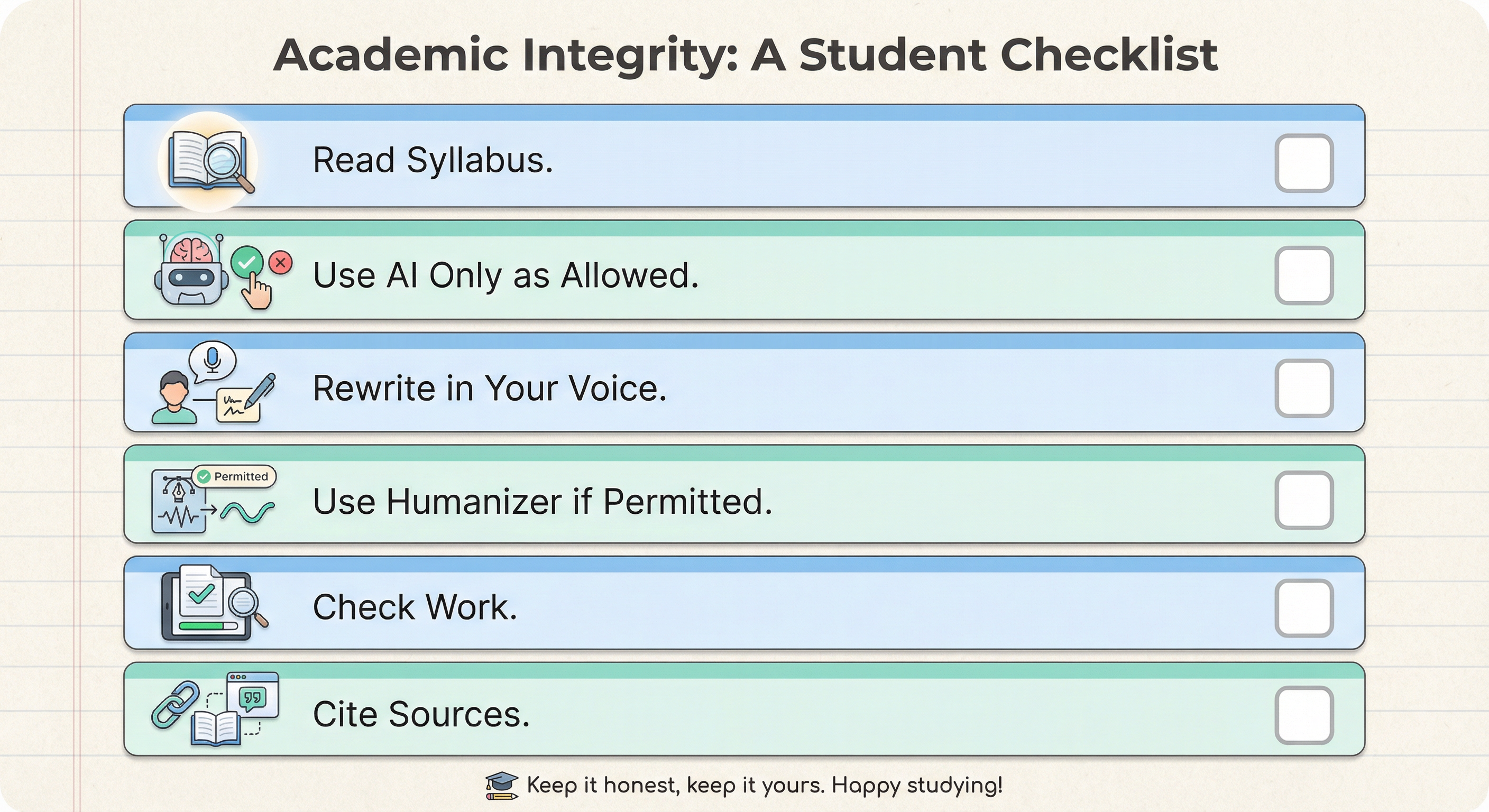
- Read your syllabus and academic integrity policy — What does your school say about AI and tools?
- Use AI only as permitted — For ideas, outlines, or drafts you then rewrite.
- Rewrite in your own voice — Vary sentences, cut robotic phrasing, add your analysis.
- If you use an AI humanizer — Pick one that preserves meaning and citations; use it only where your school allows. Try RealTouch AI free.
- Check your work — Run it through a free ai detector or turnitin checker (if you have access) before submitting, to see how it scores.
- Cite everything — Any source or tool use that your policy requires.
For more support, see our Help Center and our AI Detection Glossary. Pricing for students.
Frequently Asked Questions
How does Turnitin detect AI?
Turnitin uses machine learning to analyze perplexity (word predictability), burstiness (sentence variation), and phrasing patterns. AI text tends to be more predictable and uniform; human writing is messier. Turnitin reports a percentage of content likely AI-generated. More.
Does Turnitin detect AI on Canvas?
Yes. If your school has enabled Turnitin's AI detection in Canvas (or another LMS), submissions are analyzed the same way. More.
Is the use of AI plagiarism?
It depends on your school. Many treat submitting AI-generated work as your own as academic misconduct. Using AI for allowed purposes (e.g., drafting) and then writing in your own words is usually fine if the policy permits it.
What is the difference between AI and plagiarism?
Plagiarism is presenting someone else's work as yours. AI misuse is presenting the model's output as your own when the policy forbids it. Both can violate academic integrity.
Does Turnitin detect self-plagiarism?
Yes. Turnitin can flag when you reuse your own previous work without permission.
What's the best AI humanizer to bypass Turnitin?
Look for a tool that changes perplexity and burstiness (not just synonyms), preserves your meaning and citations, and lets you review the output. Use only where your school allows AI and humanizers. Our comparison.
How can I humanize AI text for school?
Rewrite in your own voice: vary sentence length, cut formal transitions, add specific details and analysis. Where permitted, you can use an AI humanizer to adjust patterns, then edit the result yourself. Full guide.
Key Takeaways
- Turnitin and other AI detectors look at perplexity, burstiness, and phrasing—not a list of "AI words." See AI Detection Explained for details.
- Is the use of AI plagiarism? Depends on your school; follow your academic integrity policy.
- Humanize AI by rewriting drafts in your own voice and varying structure; where allowed, an AI humanizer can help.
- Bypass Turnitin or bypass ai detector only in ways your institution permits; otherwise you risk serious consequences.
- When in doubt, use AI as a helper for ideas and drafts, and make the final submission clearly yours.